 Grant Kantsios
If you want to speed up your website, your three most powerful starting points are optimizing your images, using browser caching, and minifying your code. Following these steps lays the foundation for a faster, better user experience. This is crucial, because nearly 40% of visitors will leave your site if it takes longer than three seconds to load.
Why Website Speed Is a Critical Business Metric
A slow website isn't just a minor annoyance; it's a direct threat to your sales and your brand's reputation. In industries where visual appeal and a seamless experience are everything, every millisecond counts. A sluggish site can make a potential customer question your professionalism before they even see what you have to offer.
This goes far beyond first impressions. Your site's performance directly affects how long people stay, how many pages they view, and—most importantly—whether they complete a purchase or book a service.
Google also cares deeply about speed. It's a significant factor in search rankings, meaning a faster website not only keeps your current audience engaged but also helps you get discovered by new customers.
The Real Cost of a Slow Website
The connection between loading time and business success is proven by data. Customer expectations have never been higher, and search engines reward websites that meet those demands.
Currently, the average website page load time is about 2.5 seconds on desktop. On mobile, however, it's a staggering 8.6 seconds. This is a major issue, considering a large portion of your customers are likely browsing on their phones. With Google recommending a load time under three seconds, it's clear many businesses are falling short.
This infographic clearly illustrates how quickly you can lose a potential customer.
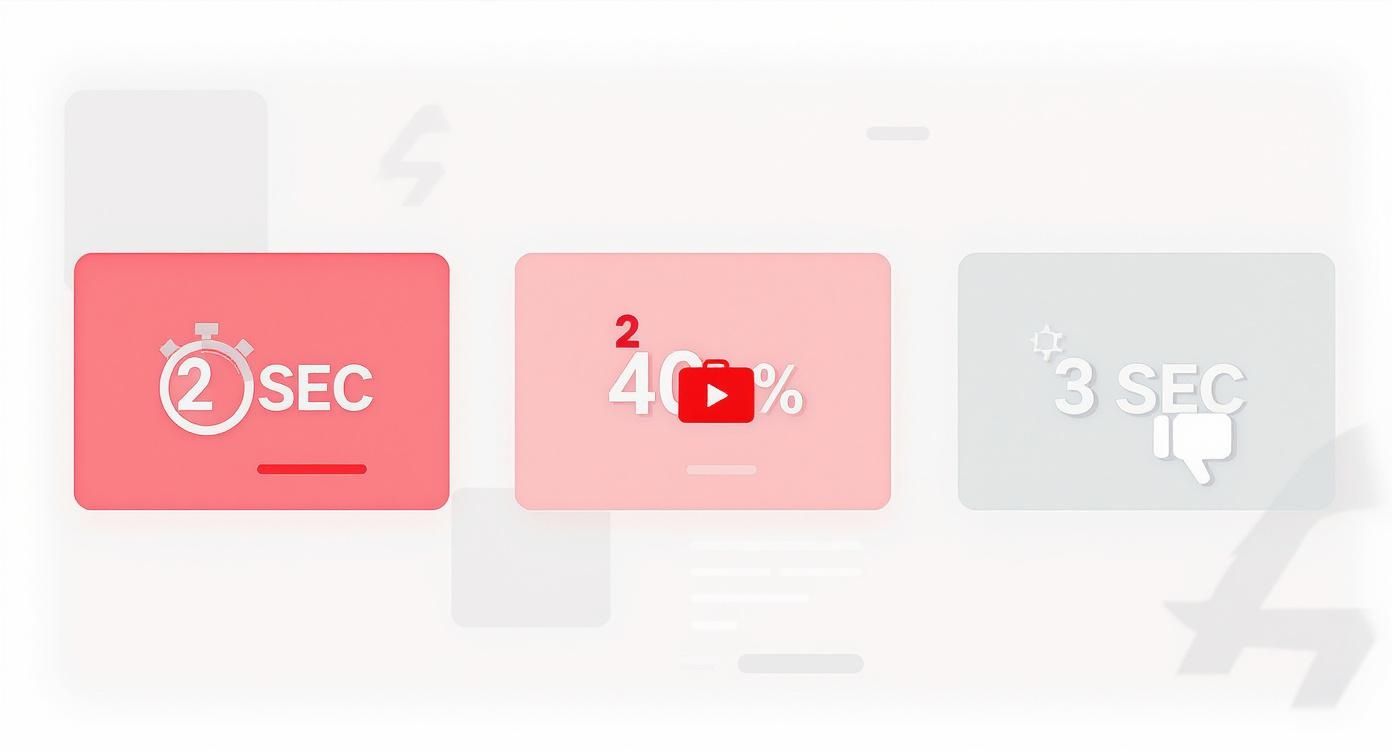
Visitor patience is incredibly low, with many people leaving after just a few seconds of waiting.
To put this in perspective, let's examine how even small delays can dramatically impact whether a user stays or leaves.
Impact of Load Time on User Behavior
| Load Time (Seconds) | Increase in Bounce Rate Probability | Expected User Action |
|---|---|---|
| 1s to 3s | +32% | User becomes impatient |
| 1s to 5s | +90% | User is likely to leave |
| 1s to 6s | +106% | User has probably left |
| 1s to 10s | +123% | User is definitely gone |
As you can see, the longer your site takes to load, the higher the chance a visitor will give up. It’s a direct relationship that no business can afford to ignore.
Understanding Core Web Vitals
To help site owners measure user experience, Google introduced Core Web Vitals. You can think of these as a report card for your site's performance, covering speed, responsiveness, and visual stability from a visitor's point of view.
A key metric is Largest Contentful Paint (LCP). In simple terms, this measures how long it takes for the most important visual element on your page—like the main banner image or headline—to become visible.
A poor LCP score signals to Google that your visitors are staring at a blank or partially loaded screen for too long, which creates a frustrating experience.
By treating website speed as a core business strategy rather than a technical task, you can directly connect milliseconds saved to revenue earned. Every improvement contributes to a better customer journey and a stronger bottom line.
Beyond just user satisfaction, website speed is a major factor in driving conversions. Exploring conversion rate optimization strategies reveals how a faster, more responsive site encourages users to take the next step, whether it's making a purchase or signing up for a newsletter.
Mastering Image Optimization for Instant Gains

If there’s one common reason for slow websites, it's large, unoptimized images. For businesses that rely on high-quality photos to showcase products or services, this can feel like a difficult trade-off. You need stunning visuals, but those same images can make your site frustratingly slow.
The good news is that you don't have to choose between quality and speed. Image optimization is about finding the perfect balance, and it's one of the fastest ways to see a significant improvement in your site's performance. This is an essential first step when learning how to improve website loading speed.
The impact is massive. Data shows that 25% of pages could reduce their size by over 250kb, and 10% could save more than 1MB simply by optimizing images. Since large pages take 318% longer to load, shrinking your image files should be a top priority. You can find more statistics on this at queue-it.com.
Choose the Right Image Format
Before uploading any photo, selecting the correct file type is crucial. Each format has a specific purpose.
- JPEG: This is the best choice for most photographs. Product shots, team photos, and portfolio images look great and maintain a reasonable file size as JPEGs.
- PNG: Use this format when you need a transparent background, such as for logos, icons, or graphic overlays. PNG files are typically larger than JPEGs, so only use them when transparency is necessary.
- WebP: This modern format, developed by Google, offers excellent compression without sacrificing quality. Many modern website platforms automatically convert your images to WebP to serve the smallest possible file to visitors.
Compress and Resize Your Images
After choosing the right format, the next step is compression. This process reduces an image's file size with little to no noticeable loss in quality. Many online tools and website plugins can handle this automatically.
Equally important is resizing your images to the exact dimensions they will appear on your site. Uploading a massive 4000-pixel wide photo for a space that is only 800 pixels wide is inefficient. It forces the visitor's browser to shrink the image, which wastes time and data.
Actionable Insight: Before uploading, use a simple tool (like TinyPNG online or an app on your computer) to compress your images. Then, resize them to the exact pixel dimensions needed. This simple two-step routine can reduce file sizes by over 70%.
Implement Lazy Loading
Lazy loading is a clever technique that improves initial page load speed. Instead of loading every image on a page at once, it only loads the images that are currently visible on the user's screen.
As a visitor scrolls down, the next set of images loads just before they come into view. This is especially effective for long pages with many visuals, like a product gallery or blog post. For a deeper dive, check out this guide on how to optimize images for web. Most modern website builders now include this feature by default, but it's always worth checking that it's enabled on your site.
Use Caching to Create a Lightning-Fast Experience

While "caching" might sound technical, it's a simple and powerful way to make your website feel incredibly fast, especially for returning visitors.
Think of it as your website creating a "shortcut" for users.
The first time someone visits your site, their browser has to download all the assets: your logo, images, fonts, and the underlying code. Caching instructs the browser to save some of these files locally.
When they visit again, their browser can load those saved files instantly instead of downloading everything from scratch.
This simple process dramatically reduces load times for repeat visitors, which is crucial for customers who frequently return to make purchases or check for updates. It is a fundamental tactic if you are serious about how to improve website loading speed.
Making Caching Easy with Plugins
The best part is that you don't need to be a developer to implement caching. Most website platforms offer user-friendly plugins or built-in settings that handle the process for you.
- For WordPress: Plugins like WP Rocket or W3 Total Cache are excellent tools. They provide simple, often one-click, setups to enable powerful browser and server-side caching.
- For Shopify: Shopify automatically manages much of the server-side caching for you. As a store owner, your role is to ensure your theme is well-coded and your images are optimized to let the platform work effectively.
Even more advanced caching methods are being used by major companies. For instance, Facebook improved page load times by 25% by preloading content it predicted mobile users would view next. You can learn more about these techniques over at Blogging Wizard.
If you want to explore more backend optimizations, our guide offers additional website performance optimization tips.
Caching Plugin Comparison for WordPress
Choosing the right tool can be challenging. Here is a simple comparison of popular caching plugins for WordPress to help you select one that fits your needs and technical comfort level.
| Plugin Name | Best For | Key Features | Price |
|---|---|---|---|
| WP Rocket | Beginners wanting an all-in-one, easy-to-use solution. | User-friendly interface, lazy loading, database optimization, file minification. | Starts at $59/year |
| W3 Total Cache | Advanced users who want detailed control. | Browser caching, CDN integration, object caching, extensive customization options. | Free (Pro version available) |
| WP Super Cache | Users seeking simplicity and reliability on a budget. | Easy setup, serves static HTML files, supported by Automattic (the company behind WordPress.com). | Free |
While a free plugin like WP Super Cache is a great starting point, WP Rocket is often recommended for business owners who want the best results with minimal effort. The investment typically pays for itself through improved user experience and higher conversion rates.
Supercharge Your Site with a Content Delivery Network
A Content Delivery Network (CDN) expands on the concept of caching by distributing your site's assets globally.
Imagine a customer in New York is visiting your website, but your web host's server is located in California. Your site's data has to travel across the country, which creates a small but measurable delay.
A CDN solves this by storing copies of your site's files on a worldwide network of servers. When the New York customer visits, the CDN delivers the website from the nearest server—perhaps one in a neighboring state—instead of from the West Coast.
Actionable Insight: Check your hosting plan to see if a CDN is included (many hosts like Cloudflare offer a free tier). Enabling it is often as simple as clicking a button in your hosting control panel. This one action can significantly reduce server response times for all your visitors.
Most quality hosting providers now include a CDN with their plans. Activating it is a foundational step for any business that wants to provide a consistently fast online experience to a global audience.
Streamlining Code and Scripts Without a Developer

After optimizing images, it's time to address the invisible elements: the code and scripts running in the background. Every feature, from a pop-up contact form to an embedded social media feed, adds code that a visitor's browser must download and process.
This is one of the most common yet overlooked roadblocks when figuring out how to improve website loading speed.
The good news is you don't need to be a programmer to fix this. By cleaning up your code through minification and performing a simple script audit, you can significantly improve your site's performance.
What Is Minification and Why It Matters
Imagine your website's code (HTML, CSS, and JavaScript) as a recipe. A developer writes it with extra spaces, comments, and line breaks to keep it organized for human readers. This is helpful for development, but browsers don't need this formatting.
Minification is an automated process that removes all this unnecessary data. It’s like turning a detailed, five-page recipe into a condensed notecard. The instructions remain the same, but the file is much smaller and faster for a browser to read.
Most quality caching plugins, like WP Rocket for WordPress, can do this for you with a single click. Simply find the "file optimization" settings, check the boxes for CSS and JavaScript minification, and the plugin will handle the rest.
Conducting a Third-Party Script Audit
This is a simple but highly effective way to improve your site's speed. Third-party scripts are code snippets from other services that you add to your site. While they add useful functionality, they can also be significant performance drains.
Common examples include:
- Analytics: Tools like Google Analytics or Hotjar.
- Customer Support: Live chat widgets like Tidio or Intercom.
- Social Media: Embedded feeds from Instagram or Facebook.
- Marketing Pixels: Tracking code from platforms like Meta or TikTok.
Each script adds an external "request" that your site must make. This adds up quickly. On average, each script can add about 34 milliseconds to your load time. Since 40% of shoppers abandon a site that takes over 3 seconds to load, every millisecond matters. You can find more data in this full report about e-commerce website speed.
Actionable Insight: Your goal is to be intentional. A script audit isn't about removing every tool you use. It's about questioning the value of each one. By removing unnecessary scripts, you ensure that everything on your site is actively contributing to your business goals.
How to Audit Your Scripts
Set aside an hour to review your website's dashboard. Go through your list of plugins, apps, and integrations. For each third-party tool, ask yourself these three simple questions:
- Is this essential for my business? Does this tool directly help me make a sale or capture a lead?
- Am I actively using the data? If you installed a heatmap tool six months ago but haven't logged in since, it's just slowing down your site for no reason.
- Is there a lighter alternative? Sometimes a simpler tool can perform the same function with a smaller impact on performance.
Deactivating and deleting just one or two unused plugins can often reduce your load time by a full second. This simple audit creates a faster, smoother experience for every visitor.
All the optimization techniques in the world won't matter if your website is built on a poor foundation. That foundation is your web hosting.
A cheap, overloaded server will undermine all your hard work, creating a constant bottleneck for your website's performance. Upgrading your hosting is a critical step if you're serious about how to improve website loading speed.
Think of your website as a high-performance car. A slow hosting plan is like forcing that car to drive through mud. No matter how powerful the engine, it won't move quickly. Upgrading your hosting is like giving your site a smooth, open highway to drive on.
When You Know It's Time for an Upgrade
Does your site become sluggish during peak traffic times, like after you send out a newsletter or launch a promotion? Do you experience frequent downtime or errors? These are clear signs that your current hosting plan is insufficient.
As your business grows, so do the demands on your server. Here’s a quick guide to common hosting types to help you decide on your next move:
- Shared Hosting: An entry-level plan where your site shares server resources with many other websites. It's affordable but can be slow and unreliable if another site on the server experiences a traffic spike.
- VPS (Virtual Private Server) Hosting: A significant upgrade. You still share a physical server, but you get a dedicated portion of its resources. This provides much greater stability and speed.
- Dedicated Hosting: The top-tier option, where you rent an entire server for your website. It offers the best possible performance and security, making it ideal for high-traffic e-commerce sites.
Key Features That Directly Impact Speed
When choosing a new hosting provider, look beyond the price. Focus on features that directly contribute to website speed.
First, ensure your plan includes SSD (Solid-State Drive) storage. SSDs are significantly faster than traditional hard drives and make a noticeable difference in how quickly your pages load.
Next, check the server location. If most of your customers are in North America, choosing a host with servers in that region can reduce latency. The closer the server is to your customer, the faster the data travels.
Investing in quality hosting isn't just an expense; it's a strategic investment in user experience and conversions. A faster server environment directly contributes to a more professional and reliable online presence for your customers.
The platform your website is built on also plays a crucial role. For business owners who want a fast experience from the start, it's important to choose from the best e-commerce platforms for small business that are designed for performance.
For those seeking maximum control, the architecture of the content management system is a key factor. Some organizations even go as far as Building Custom CMS Software for Performance to create a lean, purpose-built system designed for maximum speed.
Got Questions About Website Speed? We've Got Answers.
Diving into website performance can feel overwhelming. You're a business owner, not a developer, and you need clear, straightforward answers to make informed decisions without getting lost in technical jargon.
Here are some of the most common questions we hear about site speed, answered in a simple, actionable way.
How Do I Actually Test My Website's Current Speed?
This is the best place to start. Before you can improve, you need a baseline. You can get a quick, free analysis from two excellent tools: Google PageSpeed Insights and GTmetrix.
Simply enter your website's URL into one of these tools, and you'll receive a detailed report. It will show your load time, Core Web Vitals scores, and, most importantly, provide a checklist of specific recommendations for improvement.
Pro tip: If the tool allows, run the test from a few different server locations. This will give you a better understanding of your site's performance for visitors from different parts of the world.
Will Making My Website Faster Break My Beautiful Design?
This is a common concern, but the answer is almost always no—as long as the optimizations are done correctly. Most of the effective speed improvements happen behind the scenes and are invisible to the user.
Foundational speed fixes like image compression, browser caching, and code minification are designed to be completely invisible to your visitors. The only thing they should notice is a zippier, smoother experience.
When you use reputable plugins and follow best practices, the risk of breaking your site's design is extremely low. However, it's always a good practice to back up your website before making significant changes. This simple five-minute step provides peace of mind.
How Often Should I Be Thinking About Website Speed?
Website speed is not a one-time fix. It requires ongoing attention to maintain performance, especially as you add new content, products, and features.
Here is a simple schedule to follow:
- Monthly Check-In: Once a month, run a quick speed test to ensure everything is still performing well. This is a simple health check.
- Quarterly Audit: Every three months, conduct a more thorough review. This is a good time to re-evaluate your plugins and scripts, especially if you've added new features to your site.
Regularly monitoring your performance helps you catch small issues before they become major problems that could drive away customers and harm your search rankings.
Ready to stop stressing about site speed and get back to what you do best? gohappybeauty builds gorgeous websites for beauty pros that are fast, reliable, and optimized from day one. Let us create a website that not only wows your clients but also grows your business. Get started with us today!